
Every ride’s price comes from your rates. Set your own before you book your first real ride, so your invoices come out right.
Steps
At the bottom of the menu on the left, select Settings. Under Business, select Rates.
Select Standard rates. They apply to every ride unless a payer has custom rates. The Ride fares tab opens.
Under Fares, type the Base fare, Included miles and Per mile for Ambulatory, Wheelchair and Stretcher. Included miles are the miles the base fare already covers.
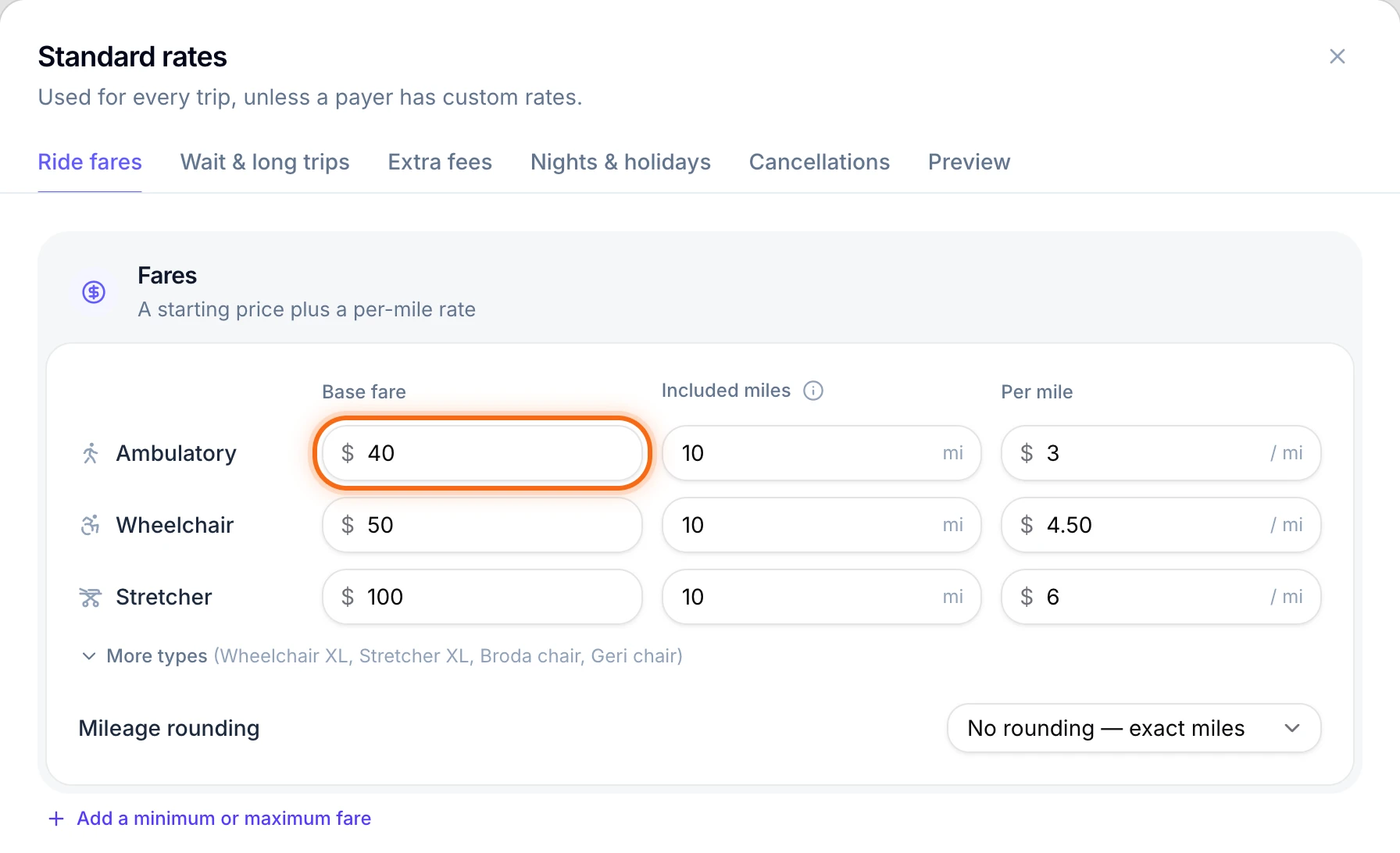 (opens a larger view)
Under Mileage rounding, pick how miles are counted, like Round up to the next mile.
Select the Wait & long trips tab. Under Wait time, check the Rate, the block of time it’s Billed per, and the Free minutes before waiting costs anything.
To charge fees, open Extra fees, Nights & holidays or Cancellations. Turn on the switch at the top of the box, then type each fee. Fees stay off until you turn them on.
To check a price, select the Preview tab and try a sample trip.
Select Save changes. You’ll see “Rates saved.” Rides you book from now on use the new rates.
Give one payer different prices
In the menu on the left, under Finance, select Payers, then select the payer, like Maple Grove Dialysis.
Select Custom rates. New custom rates opens with the payer already under Payers.
Type a Name, like “Maple Grove rates”. If other payers pay the same prices, add them under Payers. For a contract with an end date, pick Ends on a date.
Select Next: set rates. Type only what’s different for this payer. Blank boxes use your standard rates, shown in gray.
Select Save changes. You’ll see “Custom rates saved.”
Good to know
- Booked rides keep their price. New rates change only rides you book after you save. To start new prices on a set day, like the first of the month, pick Start on a date next to Save changes.
- Brokers pay only the fees you set for them. Your standard fees, like a no-show fee, are never charged to a broker. Add the fees a broker allows to its custom rates.
- XL, Broda and Geri chairs and Stretcher XL use the Wheelchair or Stretcher rate until you set their own. Select More types to see them.
- Charge for driving empty? On the Wait & long trips tab, turn on Empty miles. They count from your headquarters to a pickup, and back after drop-off.
- Owners and admins change standard rates. Only the owner sets custom rates.
If something looks wrong
| What you see | What to do |
|---|---|
| A ride booked earlier still has the old price | Booked rides keep their price. To change one, open the ride, select Edit trip and type the new price. If it’s already on an invoice, change it there with Edit invoice. |
| A broker’s ride has no no-show fee | Brokers only pay the fees in their own custom rates. Add the fee there. |