
Ryder Go starts with standard settings. Change them when its plans don’t match how your drivers really work, like a stretcher that takes longer to load. Only owners and admins can change them.
Steps
At the bottom of the menu on the left, select Settings. Under Operations, select Ryder Go (AI). Its settings open.
Change what you need. Each setting is explained below.
Select Save changes in the bar at the bottom of the screen. You’ll see “Trip timing saved.” Ryder Go uses the new settings the next time it plans.
Load & unload times
How long your driver needs to get a rider in at pickup and out at drop-off. Ryder Go leaves this much time at every stop, and so do the pickup times HealthRide suggests when you book.
| Ride type | Load | Unload |
|---|---|---|
| Ambulatory | 3 min | 2 min |
| Wheelchair | 5 min | 5 min |
| Stretcher | 15 min | 15 min |
More types shows the XL, Broda and Geri chair rides. They use the wheelchair or stretcher times until you set their own. Change these when your drivers regularly need more or less time at the curb.
On-time pickups
Grace period (starts at 15 min): a pickup still counts as on time up to this many minutes after its booked time. Your board, dashboard, driver app and reports all use it. Will-calls use your will-call time instead, and a broker trip with a pickup window uses that window. Change it to match what your contracts count as late.
Pickup times
- Early pickup and Late pickup (both start at 0): how many minutes before or after the booked time Ryder Go may plan a pickup. At 10 and 10, a 9:00 pickup can be planned between 8:50 and 9:10. You, your rider and your driver still see 9:00. Point at the trip on the board to see Ryder Go’s time. Late pickup can’t be more than your grace period.
- Will-call pickups (starts at 60 min): once a will-call rider calls, the driver has this many minutes to get there, or until the time the rider asked for if that’s later. After that, the pickup is late.
- Appointments (starts at 10 min): how early riders arrive for an appointment, so they have time to get from the van to the front desk. Suggested pickup times use it too.
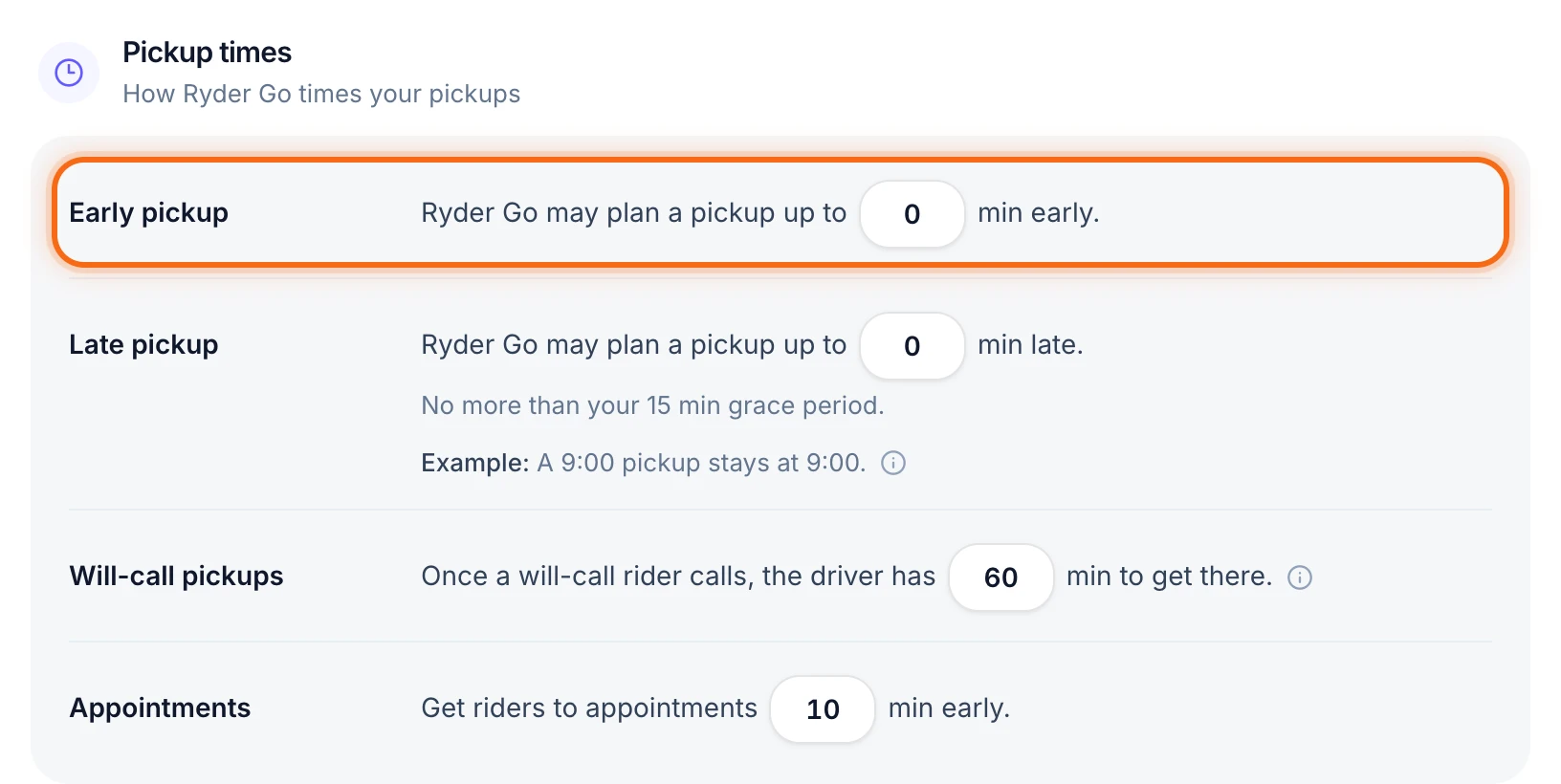 (opens a larger view)
Raise Early pickup and Late pickup when riders are fine with a few minutes either way and you want tighter routes. Keep them at 0 if pickups must be exact.
Same driver
Keep each rider with one driver (starts off): when a rider has more than one trip in a day, Ryder Go gives them all to the same driver when it can. If it can’t, it splits them and tells you before you apply. Turn it on when your riders, like dialysis patients, do better with the same driver both ways.
Trips placed by hand
Let Ryder Go move them (starts off): while it’s off, a trip someone on your team gave a driver stays with that driver. Turn it on to let Ryder Go move those trips too when it finds a better plan. A locked trip always stays put.
If something looks wrong
| What you see | What to do |
|---|---|
| There is no Ryder Go (AI) in Settings | Only owners and admins can change these settings. Ask your owner. |
| “Can’t be more than your grace period (15 min).” | Lower Late pickup, or raise Grace period to match. |
| Save changes stays gray | A box has a red message under it, like “Enter 0 to 120 minutes.” Fix that number first. |
| Ryder Go’s plan still uses the old times | New settings count the next time Ryder Go plans. Run it again. |